I Couldn't Afford AWS to Learn Karpenter: So I Faked It With KWOK


Hey folks!!! , Varshaa here againn . Recently I was exploring Karpenter for Kubernetes and checked my AWS credits to test it hands-on , only to realise that I'm out of free credits.
But I really wanted to learn it hands-on , after some deeeeep research I found out about KWOK(Kubernetes without kubelet) where I could literally fake out EC2 nodes (isn't it cool?). Even the Karpenter's own maintainers use it for local development so it's not just a hackk.
What is Karpenter?
Hmmm, lemme define it in simple words . Karpenter is an open source node autoscaler built for Kubernetes. Think of it as a smart resource manager for your cluster . Instead of you manually picking and managing server sizes, Karpenter automatically watches for unscheduled pods, figures out the exact compute power needed, and instantly provisions right sized nodes on demand.
What is KWOK? Why KWOK ?
KWOK stands for Kubernetes without Kubelet . It's an open source tool designed to simulate thousands of fake Kubernetes nodes in seconds right on your local machine, all without consuming real CPU, memory, or paid cloud infrastructure.
Why KWOK?
It lets you test, develop, and experiment with node controllers like Karpenter completely free, saving you from running up expensive AWS EC2 bills. Because KWOK creates dummy nodes without executing actual container workloads or running heavy kubelet processes, it is lightweight and lightning fast. Even the official maintainers of Karpenter rely on KWOK for their own local testing.
Setting it up and everything that broke ( Fine , I broke it )
First up , I'm using Kind(Kubernetes in docker) for my local dev. Spin up a kind cluster and then clone karpenter's repo since KWOK lives inside of it.
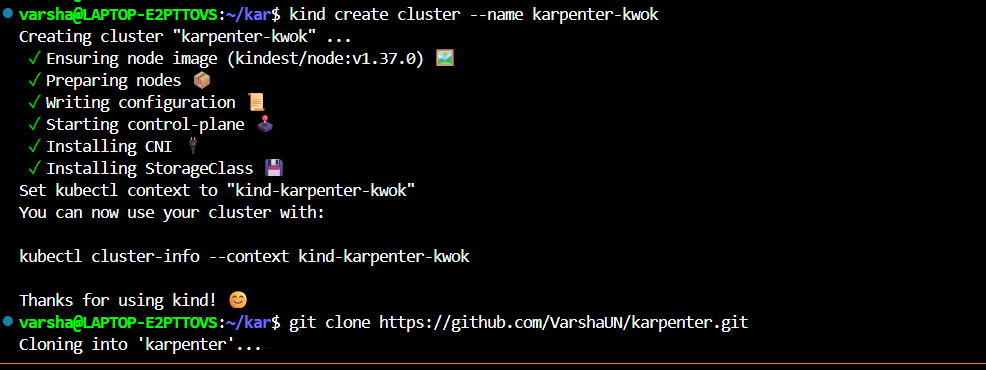
From there, I cd'd into the repo, set the two environment variables kwok's README asks for (KWOK_REPO and KIND_CLUSTER_NAME), and ran make install-kwok.

kwok is installed, but is it actually running?
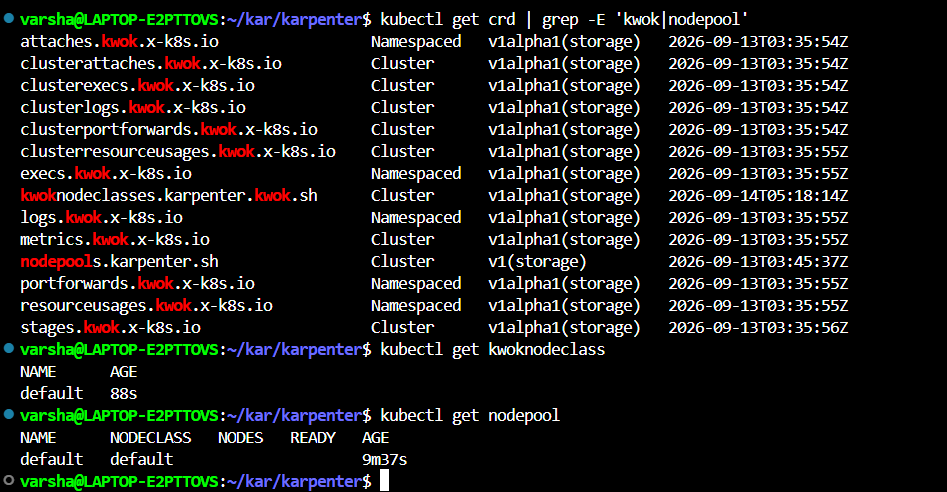
At this point, KWOK's CRDs as well as my NodePool and KWOKNodeClass objects were active, but that didn't mean Karpenter itself was up and running. This distinction ended up costing me a lot of time down the road. To test everything out, I created a test deployment using the standard inflate image and scaled it up. However, running kubectl get nodes -w continuously showed only my control plane node and no new fake nodes ever appeared. This led to a long debugging process as I tried to determine whether the issue was in the deployment, the NodePool configuration, or Karpenter itself.
When I ran kubectl get pods -n karpenter to check on the controller, it returned absolutely nothing.
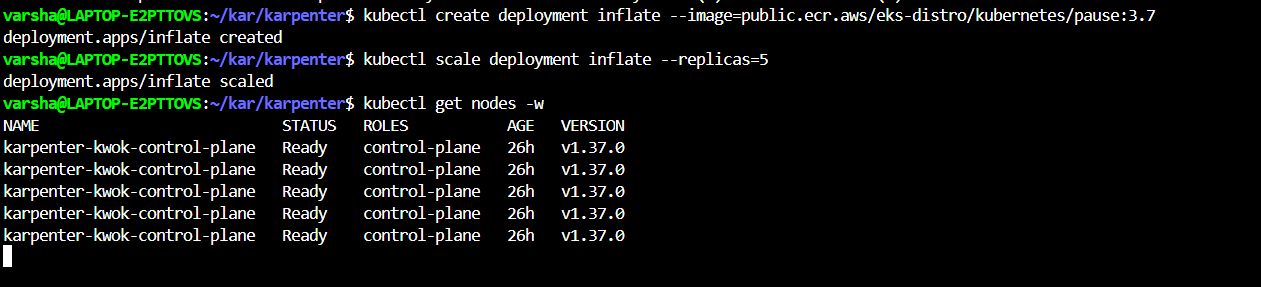
Before going further into the debugging, it's worth pausing on why the NodePool exists at all, since it's central to everything that follows. Before scaling up any workloads, Karpenter needs to know what kind of nodes it's allowed to create and how to provision them. In a real cloud setup, you'd point it at an EC2NodeClass on AWS. Since I was faking the infrastructure with kwok, I referenced a KWOKNodeClass instead.
In the NodePool manifest, I told Karpenter to watch for unschedulable pods and set constraints on the fake nodes it's allowed to create , restricted to amd64 architecture, linux OS, and spot capacity type only (karpenter.sh/capacity-type: spot). Once this rulebook is applied, Karpenter knows exactly how to build mock nodes whenever unscheduled pods show up needing resources.
The buzzinga Moment and the Image Name Glitch
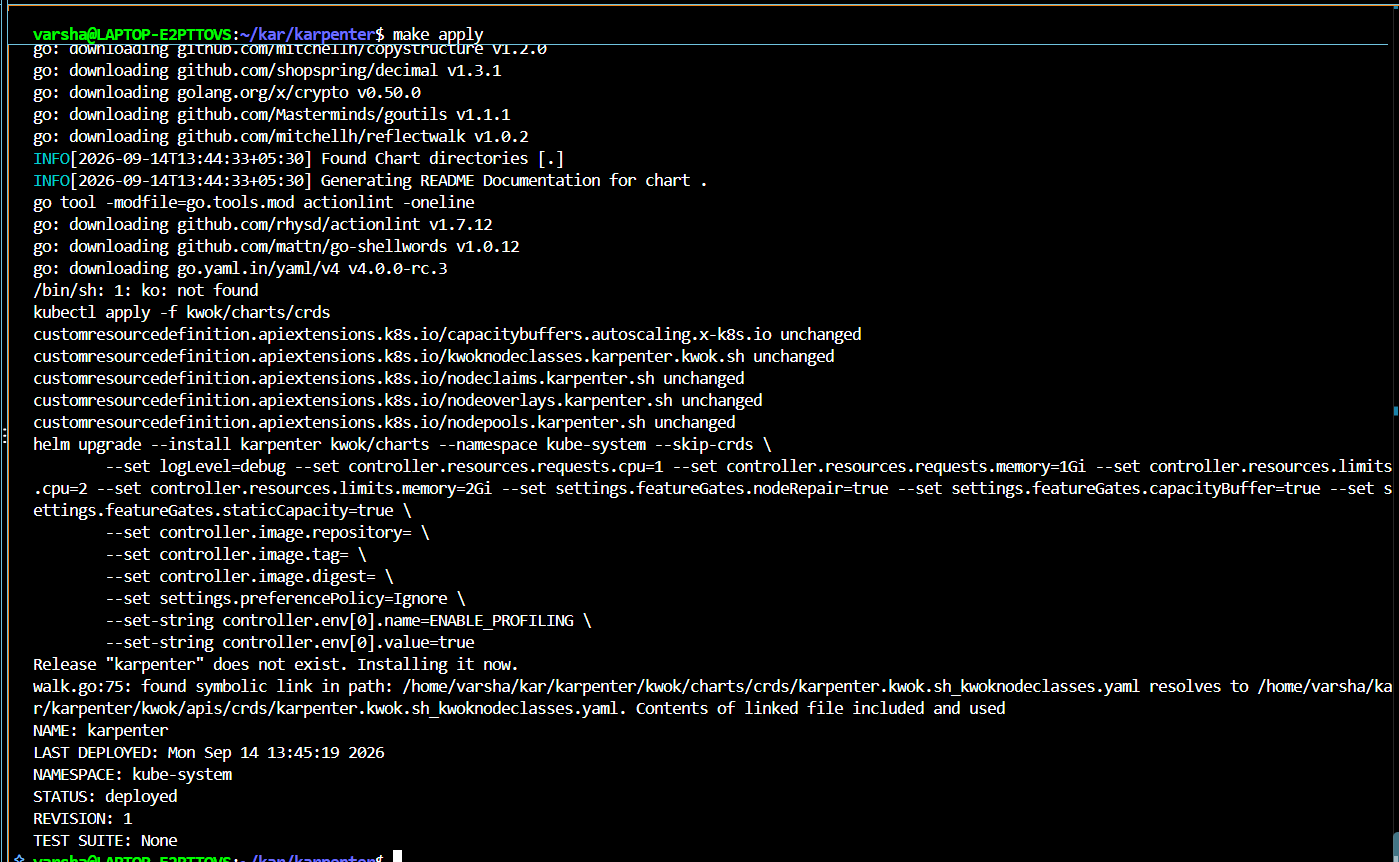
This was the root cause: Karpenter’s Helm release had landed in the kube-system namespace rather than the karpenter namespace I had assumed. All my earlier checks were looking in entirely the wrong location.
Even after clearing up the namespace mix-up, the pod refused to start, throwing an InvalidImageName error. The generic make apply target expects a remote image registry with a digest, whereas KWOK loads images directly into Kind without a digest. That mismatch resulted in a malformed image string, silently preventing the pod from spinning up.
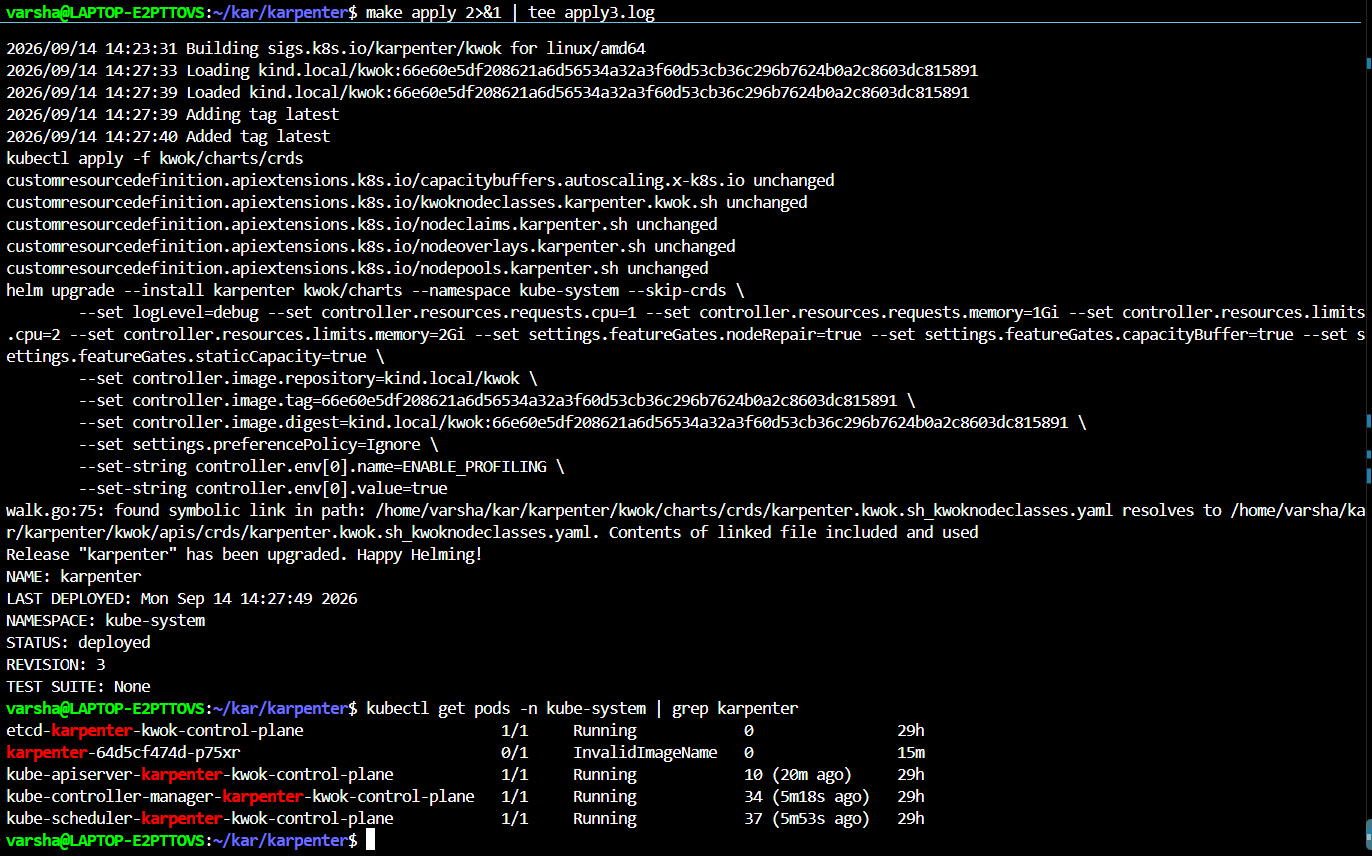
The fix was switching from the generic make apply target to make apply-with-kind , a build path in the Makefile specifically meant for local Kind clusters, which skips the digest logic entirely instead of assuming a registry that doesn't exist in this setup.
With Karpenter finally healthy, I could get back to the actual reason I was doing this ,understanding what a NodePool controls.
Spot vs On Demand
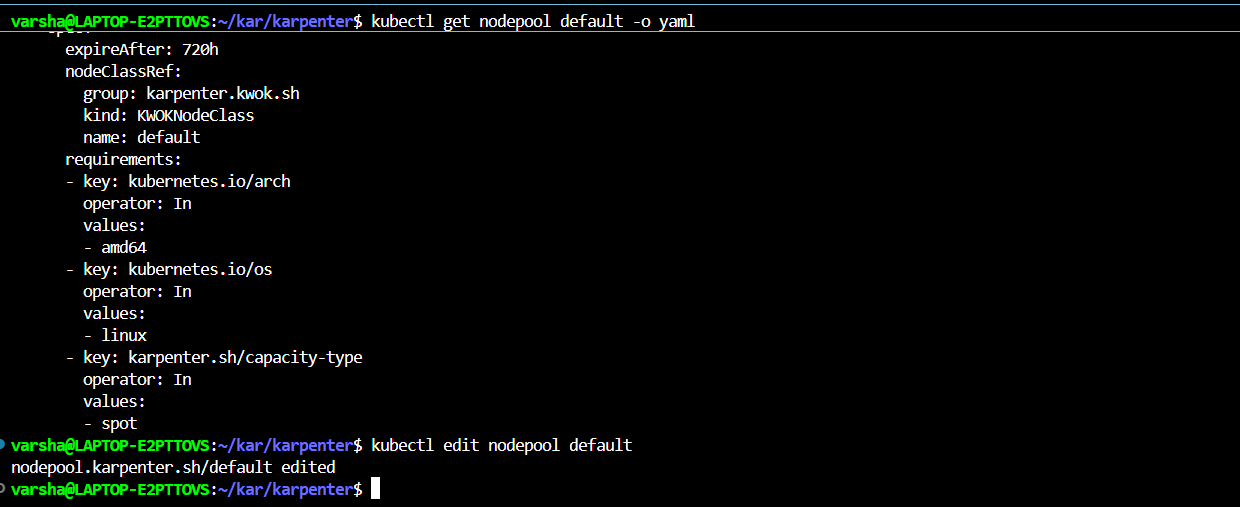
The NodePool I built had a hard rule in it. It only allowed spot capacity type. I wanted to see what happens if I remove that rule and let Karpenter choose freely.
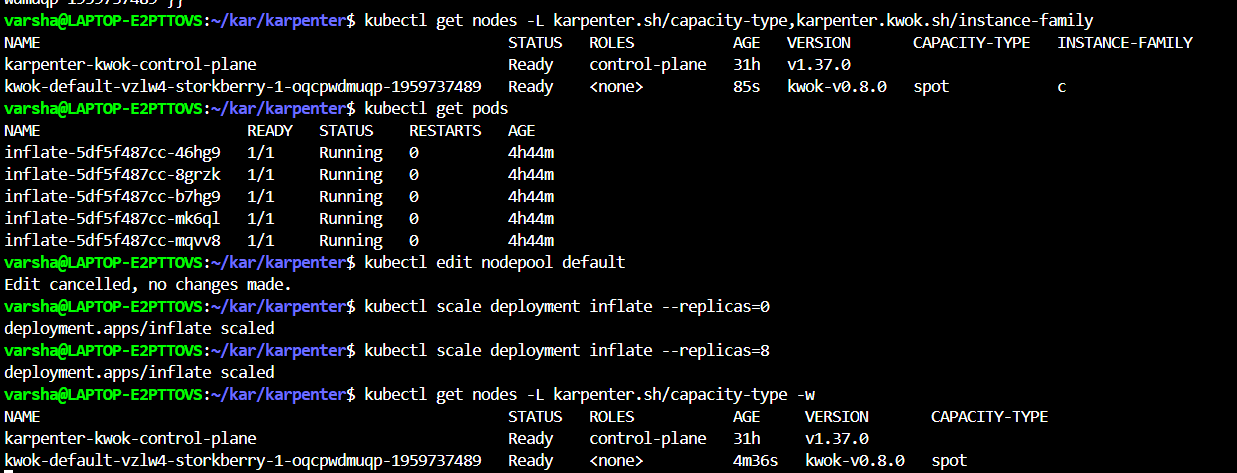
Before the change, every node Karpenter created showed up as spot. That made sense since the NodePool only allowed spot at that point.
After I removed the constraint and scaled my test deployment down to 0 and back up, I expected to see a mix of spot and on demand nodes. What actually happened was more interesting. Karpenter kept choosing spot on its own, even without being forced to. That is because spot is usually the cheaper option, so Karpenter prefers it by default when nothing stops it.
To actually prove the constraint was doing something real, I flipped it the other way and forced the NodePool to only allow on demand.
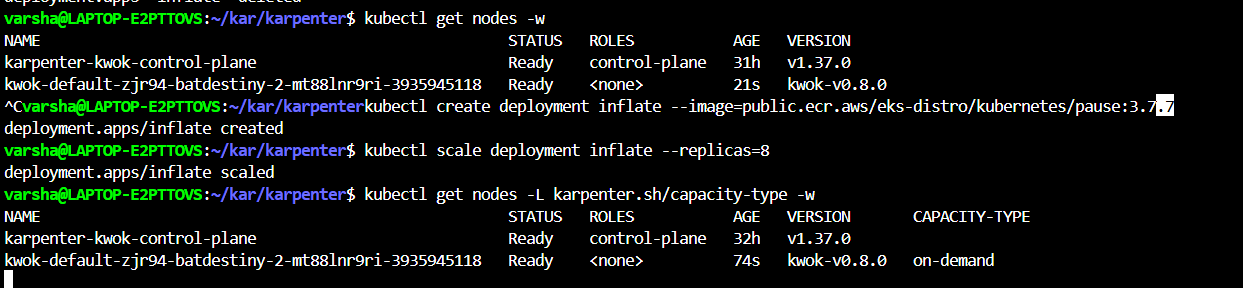
This time the new node came up as on demand, exactly as expected.
What I learned here is that removing a constraint does not mean Karpenter picks randomly. It means Karpenter is now free to make a cost based decision, and it will lean toward the cheaper option unless you explicitly tell it otherwise. Forcing on demand and watching it actually work is what proved the constraint was real and not just decoration in the yaml file.
Restricting Instance Family
Kwok comes with a fake catalog of instance types, grouped into families just like real AWS instance families. I wanted to see if I could lock my NodePool down to just one family and have Karpenter respect that every single time it creates a node.
I first checked what family my existing node belonged to, and it showed up as family c. So I added a new requirement to the NodePool restricting it to only the c family, using the same patch approach as before.
After scaling the deployment down and back up a few times across my testing, every node that got created stayed within the c family. Even when I bumped the replica count high enough to force multiple nodes, all of them respected the same family restriction. Nothing slipped through.
This is basically the same mechanism a real EC2NodeClass and NodePool combination uses to lock down which AWS instance families are allowed, just running against a fake catalog instead of real AWS.
Setting a CPU Limit
Next I wanted to see what happens when the NodePool runs out of room to grow. Every NodePool can have a limits.cpu field, which acts as a hard ceiling on total CPU across everything it provisions.
I patched the limit down to a small number, just 4 vCPUs total, and then scaled my deployment up high enough that fitting everyone would clearly need more than 4 vCPUs worth of nodes.
I did not have a clean screenshot for this part specifically, but the result showed up clearly in two places. First, kubectl describe nodepool default showed the resource usage sitting right up against the 4 vCPU limit, with node count capped at a small number instead of growing freely. Second, and more convincing, Karpenter's own controller logs had a line that said instance types were excluded because they would breach the limit, and it listed exactly how many candidate instance types got ruled out versus how many were available in total.
What this proved is that the limit does not just stop pods from scheduling. It actually changes which instance types Karpenter is willing to consider in the first place. Bigger instance types get excluded early if choosing them would push the total past the limit, so Karpenter is forced toward smaller, more conservative choices to stay under budget.
Watching Consolidation Happen
The last thing was about watching Karpenter clean up after itself. My NodePool had consolidateAfter: 10s set in its disruption policy, meaning any node that goes completely empty should get removed about 10 seconds after Karpenter notices.
I deleted my test deployment entirely so every node would go idle at the same time, then watched both kubectl get nodes and the Karpenter controller logs side by side.
I did not capture a clean screenshot of this particular run, but the logs told a clear story. Karpenter first logged that it was marking a node as consolidatable, which is the moment its 10 second cooldown timer starts. After the cooldown passed, it logged a disruption decision, listing which node it planned to delete and even estimating the cost savings from removing it. Right after that, it tainted the node so nothing new could be scheduled onto it while it was being removed, and then the node actually disappeared from kubectl get nodes.
Wrapping Up
I started this because I wanted to explore karpenter and I had zero budget to actually touch it on AWS. A few days and a lot of broken commands later, I understand it in a way I never would have from just reading the docs.
The debugging was honestly the most useful part. Reading about consolidation is one thing. Watching your NodePool refuse to schedule pods because of a CPU limit, then finding the exact log line explaining why, is a different kind of understanding. Same with realizing Karpenter had been running fine the whole time, just in a namespace I wasn't looking at.
If you're in the same position as I am, student, no cloud budget, but want to explore Karpenter, kwok is a genuinely solid way in. It's the same tool the maintainers use for local development, just pointed at a fake cluster instead of a real one.
One detail I noticed while doing the CPU limit stuff earlier is that my NodePool also had a disruption budget set to 10 percent of nodes at a time. When I had multiple empty nodes at once, Karpenter did not delete them all in one shot. It took them down one at a time, spaced roughly 20 to 30 seconds apart. That budget exists specifically to stop Karpenter from tearing down a large chunk of the cluster all at once, which could destabilize things if it happened for real on a production cluster.
I enjoyed writing this, hope it was useful. Thanks for reading :D


